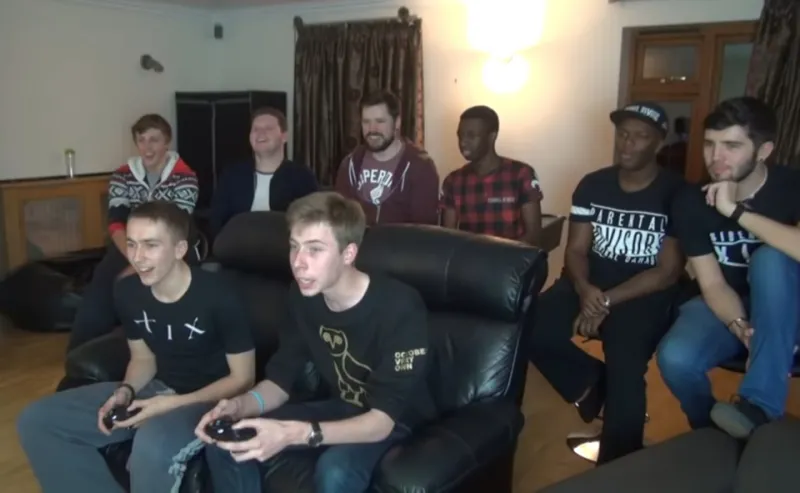
Four Controllers, One HDMI Port: A Winter Break Survival Plan for Shared Consoles

Photo: Tahiru Rajab, CC BY-SA 4.0, via Wikimedia Commons
Every December, the same scene plays out in living rooms across the country. Somebody's cousin is on the couch with a headset on. Somebody's kid is asking when it's their turn. Somebody's partner is three hours into a 60-hour RPG and just wants to finish one quest before the house wakes up. And there is one TV, one console, and one increasingly tense group chat about who touched whose save file.
Good news: this is a solvable problem, and it doesn't require buying a second console or turning the holidays into a spreadsheet committee. It requires about twenty minutes of setup before the first guest arrives, plus a couple of house rules everyone can actually remember. Here's the plan.
Step One: Take Attendance and Sketch Your Player Profiles
Before you touch a cable, write down who's actually going to be playing. Most one-TV households have roughly four types, and each one creates a different kind of risk.
- The Story Grinder. Deep in a long single-player campaign. Terrified of spoilers and of losing autosave progress. Needs uninterrupted blocks, not scraps.
- The Ranked Sprinter. Wants short, intense competitive sessions. Will absolutely start a match ninety seconds before dinner is called.
- The Holiday Guest. Plays twice a year, doesn't have a profile, and will press every button during the tutorial. Wants to have fun in ten minutes flat.
- The Wiggle Controller. Usually under ten years old. Believes the joystick is a stress ball. Will start a new save by accident. Possibly on purpose.
Naming these out loud kills about half the friction right away. It's a lot easier to say "hey, the Story Grinder has the TV until 8" when everyone already agreed the Story Grinder exists.
Step Two: Treat Cloud Saves Like Seatbelts
This is the part people skip, and it's the part that costs them forty hours.
Every major platform now supports cloud saves — PlayStation Plus, Xbox Network, Nintendo Switch Online, and Steam Cloud all do the job — but they only help if the sync actually happens. A few habits worth adopting before the house fills up:
- Verify the subscription is live. Cloud storage quietly stops when a membership lapses. Check it in November, not on December 24th.
- Upload manually before a handoff. Don't assume the console pushed your latest save while you were making cocoa. Open the save menu, confirm the timestamp, upload it.
- Don't store your progress in Quick Resume. Suspend states are not backups. A power blip, a system update, or an overenthusiastic guest can wipe a suspended session. Save the game, then suspend it.
- Keep a local backup too. A cheap USB drive and five minutes of exporting is boring insurance that has saved more holiday weekends than any warranty plan.
The rule of thumb: if losing the last two hours would ruin someone's week, it doesn't belong in a suspended state on a shared machine.
Step Three: Quick Resume Is a Couch, Not a Bedroom
Quick Resume and its cousins are genuinely great features — instant back into the action, no loading screens, no ceremony. They're also the single most common source of one-TV resentment, because a suspended game feels like a claim on the television.
So make it explicit: a suspended session is a pause, not a reservation. If someone's game is sitting in a suspend slot and they aren't in the room, that slot is fair game to close — as long as the save was made first. The two-slot rule helps here: everyone gets at most two suspended games, and if you want a third, you close one yourself. It keeps the system tidy and prevents the console from becoming a museum of abandoned sessions.
One more courtesy: nobody starts a long cutscene or a boss fight in the last twenty minutes of their block. That's just good manners, and it saves everyone the awkward "can you wait?" standoff.
Step Four: Build a Block Schedule, Not a Battle
The system that works best in practice is embarrassingly simple. Grab a whiteboard, a fridge magnet, or a shared note on someone's phone, and split the day into fixed blocks.
- Prime Time (7–10 p.m.) rotates nightly. Monday is the Story Grinder, Tuesday belongs to the Ranked Sprinter, Wednesday is co-op night for the whole room, and so on.
- Daytime is first-come, with a two-hour cap. If someone's been on since breakfast, they tap out at the cap. This is the rule that keeps a Tuesday off from turning into a nine-hour siege.
- Guests get a wildcard block. One flexible 60–90 minute window per day, decided at breakfast, no negotiating after that.
- Fifteen-minute handoff buffer. Not playing time, not arguing time — just time to save, sync, and swap controllers.
The magic isn't in the grid. It's that the grid was decided before anyone was emotionally invested in a specific evening. Nobody has to be the bad guy at 7:05 p.m.
Step Five: Make the Guest Slot Genuinely Fun
Handing a first-timer a controller and dropping them into hour fourteen of your campaign is a guaranteed flop. Keep a short list of pick-up-and-play options installed and ready: a local co-op brawler, a party racer, a fighting game with a generous tutorial. Create a guest profile so nobody's save file is one accidental button press from extinction, and set the console to ask before overwriting existing data.
And if the room skews younger, enable the accessibility and difficulty options without commentary. Nobody needs a lecture; they need to win a race.
The Night-Before Checklist
- Subscription active, cloud storage confirmed
- Latest save uploaded, timestamp verified
- USB backup exported if it's been a while
- Guest profile created, save-overwrite warning on
- Blocks written down where everyone can see them
- Controllers charged, batteries located, one spare cable
That's it. One TV, one console, a house full of people who all want a turn — and nobody's campaign going down in flames because a cousin got curious. Play more, share better.