Five Minutes a Month: The Controller Tune-Up That Beats Stick Drift Before Your Holiday Marathon
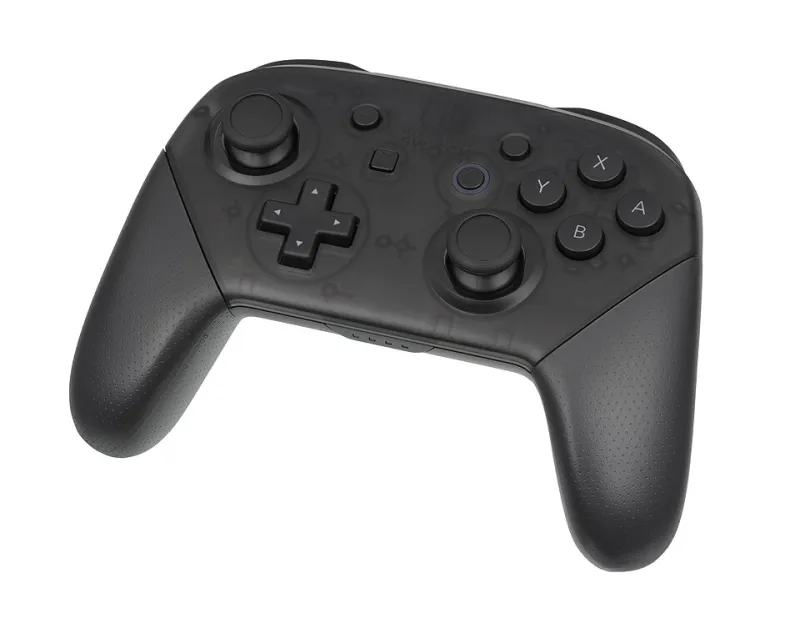
Photo: Evan-Amos, Public domain, via Wikimedia Commons
Stick drift never picks a convenient moment. It shows up in hour three of a co-op marathon, right when your character starts moonwalking toward a cliff with nobody touching the left stick. The good news? Controllers rarely fail overnight. They whisper first - a lazy return to center, a dead spot near 3 o'clock - and those whispers are easy to hear if somebody is actually listening.
That somebody is you, and it costs about five minutes a month. Here is the routine we run on every pad in the house: DualSense, Xbox Wireless, Switch Pro, and whatever third-party PC gamepad is currently winning the desk.
Why a monthly checkup beats a yearly panic
Most drift comes from wear inside the analog stick module - a little contact pad scuffs, some grit moves in, springs get lazy. None of that is dramatic on day one. It becomes dramatic in month eight, when every shooter feels like you are aiming through wet sand.
Catching it early converts a hardware problem into a settings problem. A small dead zone can buy you weeks or months. A little cleaning can buy you more. And knowing when the warranty clock runs out tells you whether to call support or start shopping. Five minutes, once a month, keeps you in control of that decision.
Minute one: the hands-off drift test
Open a browser-based gamepad tester (gamepad-tester.com is the old reliable), or use Steam's built-in tool under Settings, then Controller, then Test Device Inputs. On PC you can also use the Xbox Accessories app. Plug in over USB for the cleanest reading.
Now set the controller flat on the table and take your hands off it. Completely. Watch the readout for a slow, lazy crawl away from center. That crawl is drift.
Next, roll both sticks through slow, full circles and watch for flat spots or sudden jumps. Write down the worst number you see:
- 0 to 3 percent: normal noise. Nothing to do.
- 4 to 10 percent: early drift. Settings can handle this for a while.
- 11 to 15 percent: it is showing up in gameplay. Clean, recalibrate, consider a claim.
- Above 15 percent: stop negotiating with it. Repair or replace.
Minute two: set your dead zones with intent
A dead zone is just a tolerance - the amount of wiggle the game ignores. Raise it slightly above your measured drift and the ghost inputs vanish.
Where to do it: Steam has per-game dead-zone sliders, the Xbox Accessories app can recalibrate on PC, many games expose their own options, and a handful of PS5 titles include stick sensitivity curves. Start two notches above your drift number, then play for ten minutes.
The trap is overshooting. A generous dead zone makes slow aiming feel mushy and turns fine camera work into a suggestion. Keep it as small as your pad will tolerate, and re-tune next month if the number creeps up.
Minutes three and four: clean the gate without fear
You do not need to void your warranty to make progress here.
Use 90 percent isopropyl alcohol on a cotton swab or a corner of microfiber, plus short puffs of compressed air with the can held upright. Roll the stick to expose the base of the shaft and clean the ring of grime that collects there - that ring is sweat, skin, and snack dust doing its worst. Let everything dry for a few minutes before you play.
Skip the full teardown unless you are genuinely comfortable with a screwdriver. Stripped screws and torn ribbon cables are how a free fix becomes a parts order. And if the pad is still under warranty, cleaning is fine - opening the shell is what complicates a claim.
Minute five: battery and storage habits
Modern controllers run on lithium-ion, and lithium-ion prefers the middle of the range. Do not leave a DualSense tethered at 100 percent for weeks on end, and do not run it to zero out of habit. Roughly half charge is a fine place to park it during a gaming dry spell. Keep pads away from heat - the exhaust vent behind your console is not a shelf.
On Xbox pads running AA batteries, rechargeables plus a decent smart charger will save you real money. Pull alkalines out if the controller is going in a drawer for a season; leaked batteries ruin more gear than drift ever will. Switch Pro pads just want to be unplugged once they are topped off.
The warranty clock is ticking
Holiday timing matters. A controller bought in November or December 2026 is typically covered well into late 2027, so keep the receipt and register the product. Coverage lengths vary by manufacturer and region - Sony's US limited warranty on the DualSense runs a year, Nintendo's accessory terms generally do too, and Microsoft's accessory coverage history is shorter at 90 days - so read the fine print rather than assuming.
One more trick: some US credit cards extend manufacturer warranties by up to a year. If you bought the pad on a card with that perk, you may have coverage you forgot about. And always ask for a warranty repair before paying for one - drift is a common enough complaint that support agents know the script.
Repair, replace, or just adjust settings?
- Under 10 percent and games still feel clean: settings fix. Revisit next month.
- Drifty but under warranty: file the claim first, tinker second.
- Off warranty, otherwise solid pad: independent repair shops and mail-in services often swap a stick module for roughly $25 to $40, and some offer hall-effect upgrades while they are in there.
- 15 percent plus, or mushy buttons and a rattling shell: replace it. Magnetic hall-effect sticks are showing up on more third-party pads and skip the contact-wear problem entirely.
- Swollen battery, water damage, cracked shell: stop using it. A swollen battery is a safety issue, not a maintenance project.
The monthly checklist, condensed
- Hands-off drift test, both sticks, note the number.
- Two full circles per stick, hunting for dead spots.
- Dead zone set just above measured drift, then test in-game.
- Isopropyl swab around the stick gate, short bursts of air, full dry.
- Battery parked near half if it is going into storage; heat sources avoided.
- Receipt filed, warranty window noted on the calendar.
Five minutes, once a month, and your gear stays in fighting shape through every holiday marathon. That is the whole trick - take care of the tools and they take care of the run.